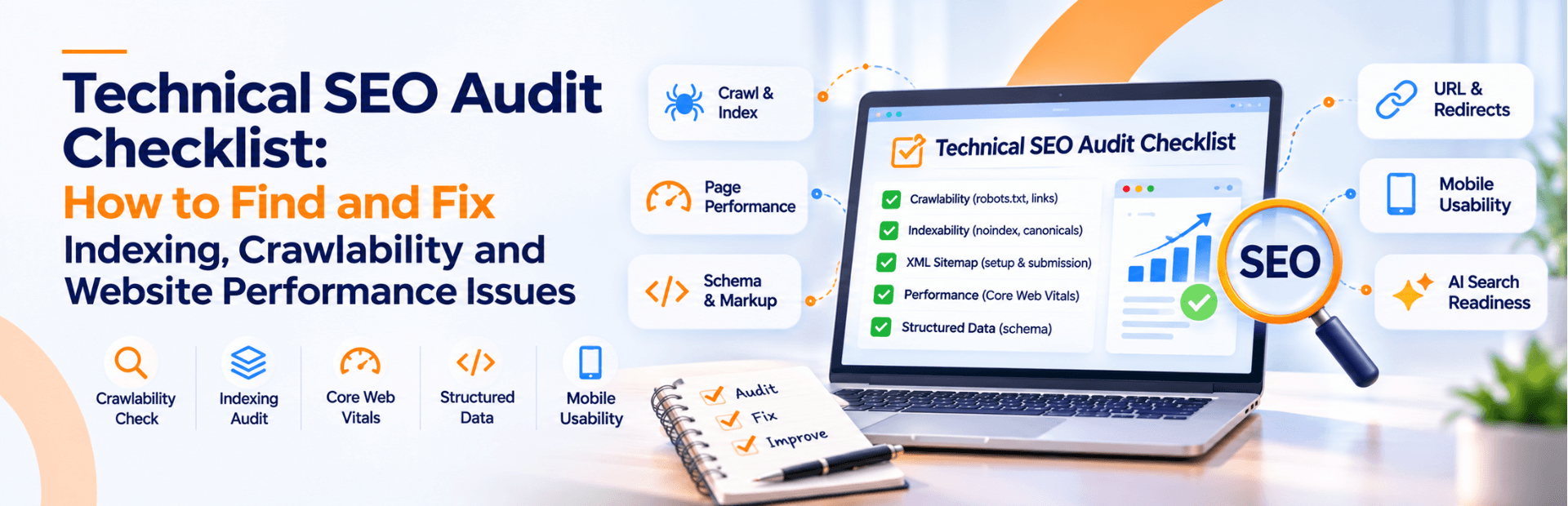
Technical SEO Audit Checklist: How to Find and Fix Indexing, Crawlability and Website Performance Issues
A practical guide to auditing website crawlability, indexing, rendering, Core Web Vitals, structured data, JavaScript SEO and AI crawler accessibility.
A website can have excellent content, attractive designs, and valuable services, yet struggle to generate organic traffic because of technical SEO problems. Search engines need to discover, crawl, render, and understand your website before its pages can become eligible to appear in search results.
Issues such as blocked crawling, incorrect canonical tags, missing XML sitemaps, broken redirects, JavaScript rendering problems, duplicate URLs, and poor website performance can affect how search engines access and process your content.
This is why performing a regular technical SEO audit is essential for businesses that want to build a strong organic search presence.
But technical SEO is no longer just about improving Google rankings. Websites also need clear structures, accessible content, reliable information, and appropriate crawler access to support discovery across AI-powered search experiences.
In this guide, we cover a comprehensive technical SEO audit checklist that helps website owners, marketing teams, and developers identify technical problems and understand how to fix them. From crawling and indexing to Core Web Vitals, structured data, JavaScript SEO, and AI crawler accessibility, you will learn how to evaluate your website's technical health and prioritize improvements.
Whether you manage a WordPress website, an e-commerce store, a custom-built platform, or a JavaScript-based application, this checklist provides a practical starting point for your next SEO audit.
Quick Answer: What Should a Technical SEO Audit Include?
A technical SEO audit should evaluate whether search engines can discover, crawl, render, and index the important pages on your website. It should also assess website performance, mobile usability, duplicate content, redirects, structured data, internal linking, and overall technical reliability.
The essential areas include:
| Technical SEO Area | What Should Be Checked? | Why Does It Matter? |
|---|---|---|
| Crawlability | robots.txt, crawl access, server responses and internal links | Helps search engines discover website content |
| Indexability | noindex directives, indexing status and canonical tags | Helps identify pages eligible for search indexing |
| XML sitemap | Sitemap URLs, accessibility and submission | Helps search engines discover important URLs |
| URL structure | Duplicate URLs, redirects and URL consistency | Helps consolidate duplicate and outdated URL versions |
| JavaScript SEO | Rendering, content accessibility and navigation | Helps search engines process JavaScript-based websites |
| Core Web Vitals | LCP, INP and CLS | Measures loading, responsiveness and visual stability |
| Mobile usability | Responsive design and content accessibility | Supports a consistent mobile experience |
| Structured data | Schema implementation and validation | Helps search engines understand page entities and content |
| Internal linking | Site architecture, navigation and orphan pages | Helps users and crawlers discover relevant pages |
| AI search readiness | Search eligibility and relevant AI crawler access | Supports discoverability in eligible AI-powered search experiences |
What Is a Technical SEO Audit?
A technical SEO audit is a systematic examination of a website's infrastructure, configuration, and page-level technical elements to identify problems that may affect search engine discovery, crawling, rendering, indexing, and user experience.
Unlike a content audit, which focuses on quality, relevance and search intent, a technical audit examines how effectively a website works for both visitors and search engine crawlers.
For example, a business may publish 50 useful articles, but if important URLs are accidentally blocked in robots.txt, contain incorrect noindex directives, or are inaccessible through internal links, those articles may not receive the search visibility they deserve.
A technical SEO audit typically evaluates:
- Website crawlability and indexability.
- robots.txt and XML sitemap configuration.
- Canonical tags and duplicate URLs.
- Redirects and HTTP status codes.
- JavaScript rendering and page accessibility.
- Core Web Vitals and loading performance.
- Mobile responsiveness and HTTPS.
- Internal linking and website architecture.
- Structured data and metadata.
- Search and AI crawler accessibility.
A technical SEO audit should result in a prioritized implementation roadmap, not just a list of errors generated by an SEO tool.
Why Is Technical SEO Important for Your Website?
Technical SEO creates the foundation that allows search engines to understand and process your website effectively.
Without a reliable technical foundation, even well-written content and strong backlinks may fail to deliver their full potential.
Better Crawling and Indexing
Search engines use automated crawlers to discover and process website URLs. Proper internal linking, accessible pages, accurate robots.txt rules, and well-maintained sitemaps help search engines find important content.
Improved Search Visibility
Technical problems such as incorrect canonical tags, accidental noindex directives, and duplicate URLs can interfere with how your pages are processed and represented in search results.
Fixing these issues can make the intended pages eligible for indexing and help consolidate search signals appropriately.
Better Website Performance
A technically optimized website can provide a better user experience through faster loading, smoother interactions, and fewer unexpected layout changes.
Google's Core Web Vitals measure three important aspects of user experience: loading performance, responsiveness, and visual stability.
Better Website Accessibility for AI-Powered Search
Google's AI search features use the same foundational Search requirements. Pages need to be accessible and eligible for indexing to qualify as supporting links in AI Overviews and AI Mode.
Clear site structures, crawlable content, useful internal links, and reliable technical implementation therefore remain important for businesses investing in GEO, AEO, and broader AI search visibility.
Read our related guide: AI Search Optimization: Strategies for Better Visibility in 2026.
Essential Tools for Performing a Technical SEO Audit
Before starting an audit, make sure you have access to the appropriate tools and website information.
The following tools help identify different types of technical SEO issues.
| Tool | Primary Purpose |
|---|---|
| Google Search Console | Indexing status, crawl information, sitemap reporting and search performance |
| Google Analytics 4 | Understanding organic traffic and landing-page performance |
| Google PageSpeed Insights | Evaluating performance and Core Web Vitals data where available |
| Google Lighthouse | Diagnosing performance, accessibility and technical opportunities |
| Google Rich Results Test | Testing eligible structured data |
| Screaming Frog SEO Spider | Crawling URLs, finding broken links, redirects and duplicate metadata |
| Sitebulb | Technical website crawling, visualization and issue reporting |
| Semrush Site Audit | Identifying technical SEO issues and monitoring changes |
| Ahrefs Site Audit | Crawling websites and identifying technical and on-page problems |
Google Search Console
Google Search Console should be one of the first tools used during a technical SEO audit.
Important reports include:
- Page Indexing report.
- URL Inspection tool.
- Sitemaps report.
- Crawl Stats report.
- Core Web Vitals report.
- Manual Actions and Security Issues reports.
The Page Indexing report helps identify why Google has or has not indexed particular URLs.
The URL Inspection tool provides information about an individual URL, including its index status, Google-selected canonical, crawling information and available live-test results.
Official resource: Google Search Console.
Google PageSpeed Insights
PageSpeed Insights helps evaluate website performance using both laboratory testing and field data when available.
It provides information about loading performance, interactivity, layout stability, and specific improvement opportunities.
Official resource: Google PageSpeed Insights.
Screaming Frog SEO Spider
Screaming Frog can crawl your website and identify problems such as:
- Broken internal links.
- Redirect chains.
- Missing title tags.
- Duplicate meta descriptions.
- Canonical inconsistencies.
- Missing or repeated H1 headings.
- Indexability problems.
- Image optimization opportunities.
For JavaScript-based websites, configure the crawler to use JavaScript rendering when necessary.
Official resource: Screaming Frog SEO Spider.
Technical SEO Audit Checklist: 30 Essential Checks
The following checklist covers the major technical areas that should be reviewed during a website SEO audit.
Website Crawling and Discovery
Check Your robots.txt File
The robots.txt file provides crawling instructions to supported search engine crawlers.
A poorly configured file can accidentally prevent important website sections from being crawled.
Open your robots.txt file:
https://www.yourdomain.com/robots.txtCheck whether:
- Important website sections are unintentionally blocked.
- Important CSS and JavaScript resources are accessible where needed for rendering.
- The sitemap location is included correctly.
- Development and staging paths are appropriately restricted.
- Rules are written for the intended crawler user agents.
Example of a basic robots.txt configuration:
User-agent: *
Disallow:

Sitemap: https://www.yourdomain.com/sitemap.xml
This is only a basic example. Your actual robots.txt file should reflect your website's architecture and the resources you intend to make crawlable.
Common mistake: Blocking an entire service or blog directory without realizing that its pages are intended to appear in search results.
Remember that robots.txt controls crawling, not guaranteed removal from search results. A blocked URL can sometimes still be indexed based on external information. When you need to prevent indexing, allow the crawler to access the page and read the appropriate noindex directive.
Reference: Google robots.txt documentation.
Verify That Search Engine Crawlers Can Access Your Website
Your important pages should be accessible to Googlebot without unnecessary restrictions.
Check:
- Whether Googlebot can access important URLs.
- Whether your hosting server returns successful responses.
- Whether a firewall or CDN blocks legitimate crawlers.
- Whether server errors occur during crawling.
- Whether important pages require login access.
- Whether pages load consistently across repeated requests.
Google's minimum technical requirements for Search eligibility include crawler access, a successful HTTP response (normally 200), and indexable content. Meeting these requirements does not guarantee indexing.
Reference: Google Search technical requirements.
Check Internal Links and Orphan Pages
Internal links help search engines discover pages and understand how different sections of a website relate to one another.
An orphan page is a page that has no meaningful internal links pointing to it.
During an audit:
- Check whether every important service page receives relevant internal links.
- Check whether blog articles link to related articles and service pages.
- Review navigation and footer links.
- Identify pages that can only be accessed through an XML sitemap.
- Check whether important pages are buried too deeply within the site structure.
- Use descriptive anchor text instead of generic labels wherever practical.
For example, a technical SEO blog should link to the relevant technical SEO service page, while a website migration guide should link to website development services.
Audit Your XML Sitemap
An XML sitemap helps search engines discover the URLs you consider important.
Open your sitemap:
https://www.yourdomain.com/sitemap.xmlCheck that:
- The sitemap returns a successful response.
- It includes the intended canonical URLs.
- It does not contain unnecessary redirects.
- It does not contain URLs blocked by robots.txt.
- It does not contain pages marked noindex.
- Important service pages and published blog articles are included.
- The sitemap is updated when relevant content changes.
- The sitemap has been submitted in Google Search Console.
For larger websites, separate sitemaps can be maintained for pages, blog posts, images, products, or other content types where useful.
A sitemap submission is a discovery hint, not an indexing guarantee.
Reference: Google's sitemap creation and submission guidelines.
Review HTTP Status Codes and Server Errors
HTTP status codes communicate how the server responds when someone or a crawler requests a URL.
Common response codes include:
| HTTP Status | Meaning | SEO Action |
|---|---|---|
| 200 | Successful response | Confirm the page has the correct content |
| 301 | Permanent redirect | Check the destination and redirect mapping |
| 302 | Temporary redirect | Confirm that temporary redirection is intended |
| 404 | Page not found | Restore the page or redirect if an appropriate replacement exists |
| 410 | Page permanently gone | Use when permanent removal is intended |
| 403 | Access forbidden | Investigate whether legitimate crawlers or visitors are blocked |
| 500 | Internal server error | Investigate server-side problems |
| 503 | Service unavailable | Check temporary outages and maintenance configuration |
Do not redirect every deleted URL to your homepage. Redirect an obsolete URL to a genuinely relevant replacement when one exists. Otherwise, return an appropriate not-found or gone response.
Also check for soft 404 errors, where a page appears to exist but effectively provides no meaningful content.
Indexing and URL Optimization
Check Google Search Indexing Status
Use the Google Search Console Page Indexing report to understand how Google processes your website's URLs.
Look for conditions such as:
- Discovered – currently not indexed.
- Crawled – currently not indexed.
- Duplicate without user-selected canonical.
- Duplicate, Google chose different canonical than user.
- Excluded by noindex.
- Blocked by robots.txt.
- Server errors.
- Not found (404).
These statuses do not all indicate technical defects.
For example, a low-value duplicate page may appropriately remain outside the index. However, an important service page marked noindex requires investigation.
For each important URL, use the URL Inspection tool to compare its current state with your intended indexing configuration.
Check Meta Robots and Noindex Directives
A robots meta tag controls how a page can be indexed and represented in supported search engines.
Example of a page that should normally remain eligible for indexing:
<meta name="robots" content="index, follow">Example of a page that should not appear in search results:
<meta name="robots" content="noindex, follow">For most indexable pages, the default behaviour does not require an explicit index, follow directive.
Check:
- Whether important service pages contain accidental noindex directives.
- Whether published articles are indexable.
- Whether staging pages are protected appropriately.
- Whether the HTTP X-Robots-Tag header contains unexpected restrictions.
- Whether CMS or SEO plugins have applied incorrect indexing settings.
Important: Google needs to crawl a page to discover its noindex directive. Do not block a URL in robots.txt while expecting Google to read and act on that page's noindex tag.
Reference: Google robots meta tag documentation.
Audit Canonical Tags
Canonical tags help indicate which URL should be treated as the preferred version when duplicate or substantially similar pages exist.
Example:
<link rel="canonical"
href="https://www.yourdomain.com/seo-services/">
Check:
- Whether important indexable pages have the intended canonical URL.
- Whether canonical URLs point to the correct pages.
- Whether canonical tags reference redirecting URLs.
- Whether canonical tags conflict with the URLs submitted in your sitemap.
- Whether internal links consistently use preferred URLs.
- Whether duplicate parameter URLs point to the correct canonical page.
A common problem occurs when a website has multiple versions of the same URL, such as:
https://example.com/services/
https://www.example.com/services/
http://example.com/services/
https://example.com/services/?utm_source=campaign
The website should establish consistent preferred URL signals and use appropriate redirects where necessary.
Google considers redirects a strong canonicalization signal, rel=canonical annotations another strong signal, and sitemap inclusion a weaker signal. These methods should be consistent.
Reference: Google canonicalization guidelines.
Find Duplicate URLs and Duplicate Content
Duplicate URLs can occur because of:
- HTTP and HTTPS variations.
- WWW and non-WWW versions.
- Trailing slash inconsistencies.
- URL parameters.
- Sorting and filtering functions.
- Duplicate CMS-generated pages.
- Staging and test environments.
- Similar pages created for different keyword variations without meaningful differences.
Not all duplicate content is a penalty or a technical emergency.
The objective is to identify unnecessary duplication, decide which pages deserve indexing, and communicate the preferred version through appropriate canonicalization and internal linking.
Audit Redirects and Redirect Chains
Website migrations, URL changes, deleted content, and restructuring often introduce redirects.
A redirect chain occurs when one URL redirects through multiple intermediate URLs before reaching its final destination.
Example:
Old URL
  ↓
Redirect 1
  ↓
Redirect 2
  ↓
Redirect 3
  ↓
Final destination
The better implementation is a direct redirect:
Old URL
  ↓
Final destination
Audit:
- Broken redirects.
- Redirect loops.
- Unnecessary redirect chains.
- HTTP-to-HTTPS redirection.
- WWW-to-non-WWW or non-WWW-to-WWW consistency.
- Old URLs that should redirect to new equivalents.
- Internal links that still point to redirected pages.
Use permanent server-side 301 or 308 redirects when a URL has permanently moved. Use temporary redirects when the change is genuinely temporary.
Reference: Google's redirect documentation.
Check Broken Pages and 404 Errors
A deleted or relocated page can create broken links throughout your website.
During a technical SEO audit:
- Find internal links returning 404 errors.
- Identify important externally linked pages that no longer exist.
- Find broken images and downloadable files.
- Review old URLs after migrations.
- Check whether 404 pages return the correct server status.
- Restore valuable missing content or redirect it to an appropriate replacement.
Do not redirect unrelated broken URLs simply to reduce the number of 404 reports. A genuine 404 response is appropriate when no relevant replacement exists.
Review Crawl Stats and Server Logs
For larger websites, crawl information can help identify how search engine bots interact with your server.
Google Search Console's Crawl Stats report can help investigate:
- Crawl request volume.
- Host availability.
- Server response problems.
- Response-time trends.
- File types requested by Googlebot.
- Unexpected changes in crawling activity.
Server logs provide additional information about requested URLs, response codes, crawler user agents, and request patterns.
When examining bot traffic, verify the crawler identity rather than relying only on a user-agent string, which can be spoofed.
JavaScript SEO and Website Rendering
Check Whether Important Content Is Rendered
Modern websites often use JavaScript frameworks and dynamic content.
A website may look perfect in a browser but still have problems if important information is not available to search engines after rendering.
Google processes JavaScript-based pages through crawling, rendering and indexing stages.
Check:
- Whether the page title is available.
- Whether the main heading is rendered.
- Whether important text content is accessible.
- Whether service descriptions are present.
- Whether internal links are rendered correctly.
- Whether canonical and robots directives are consistent.
- Whether the page produces errors during rendering.
Use Google Search Console's URL Inspection live test and compare the rendered HTML with the intended page.
Google's official guide: JavaScript SEO basics.
Audit JavaScript Navigation and Internal Links
Important navigation elements should use crawlable links.
For example, a standard HTML link is:
<a href="/seo-agency-in-bangalore/">
  SEO Services in Bangalore
</a>
A clickable element that only triggers JavaScript without providing a crawlable destination may be less reliable for discovery.
Review:
- Navigation menu links.
- Footer links.
- Related article links.
- Pagination links.
- Product and service navigation.
- Dynamically generated internal links.
Make sure important content does not rely entirely on user interactions that a crawler may not execute.
Check Whether Essential Resources Are Accessible
Search engines need access to the resources required to understand a page.
Check whether:
- Important CSS files are accessible.
- Required JavaScript files are accessible.
- Images are available to crawlers where relevant.
- Lazy-loaded content is implemented appropriately.
- Third-party scripts are not causing rendering failures.
- Critical content is not hidden behind inaccessible interactions.
Server-side rendering or static rendering can be useful for certain website architectures, but they are not universal SEO ranking requirements. The essential requirement is that important page content is reliably discoverable and renderable.
This is particularly relevant for React, Next.js, Angular, Vue and other JavaScript-based website implementations.
Core Web Vitals and Website Performance
Website performance is an important part of technical SEO because it affects how quickly users can see and interact with your pages.
Google uses three Core Web Vitals metrics to assess loading performance, responsiveness, and visual stability.
The current recommended good-performance thresholds are:
| Core Web Vital | What It Measures | Good Threshold |
|---|---|---|
| LCP – Largest Contentful Paint | Loading performance | 2.5 seconds or less |
| INP – Interaction to Next Paint | Responsiveness | 200 milliseconds or less |
| CLS – Cumulative Layout Shift | Visual stability | 0.1 or less |
These thresholds are assessed at the 75th percentile of page visits, with field data providing insight into actual user experience.
Reference: Google Core Web Vitals documentation.
Optimize Largest Contentful Paint (LCP)
LCP measures how quickly the largest visible content element is displayed.
This is often a hero image, large banner, video poster or significant block of text.
Common reasons for poor LCP include:
- Large, uncompressed hero images.
- Slow server response times.
- Render-blocking CSS and JavaScript.
- Unoptimized fonts.
- Slow loading of critical resources.
- Excessive third-party scripts.
Recommended improvements:
- Resize images to suitable display dimensions.
- Use modern image formats such as WebP or AVIF where supported.
- Compress large image files.
- Avoid lazy-loading the main above-the-fold hero image.
- Preload important resources when appropriate.
- Improve server response and caching.
- Reduce unnecessary render-blocking resources.
Improve Interaction to Next Paint (INP)
INP measures how responsive a website is to user interactions throughout a visit.
A page may load quickly but still feel slow when users click buttons, open navigation menus, submit forms or interact with other elements.
Common causes include:
- Long-running JavaScript tasks.
- Excessive third-party scripts.
- Heavy event handlers.
- Unnecessary DOM updates.
- Poorly optimized interactive components.
- Main-thread blocking.
Recommended improvements:
- Break up long JavaScript tasks.
- Reduce unnecessary scripts.
- Optimize interactive components.
- Defer non-critical JavaScript.
- Review third-party tracking scripts.
- Test menus, filters, forms and other key interactions.
Reduce Cumulative Layout Shift (CLS)
CLS measures unexpected visual movement during page loading and interaction.
Imagine a visitor clicking a button, but an advertisement or image suddenly appears above it and moves the entire layout. This is a common example of poor visual stability.
Common causes include:
- Images without defined dimensions.
- Advertisements that change page layout.
- Dynamically injected content.
- Fonts that cause text reflow.
- Pop-ups and banners that push content down.
Recommended improvements:
- Define width and height for images.
- Reserve space for advertisements and embedded content.
- Use stable font loading strategies.
- Avoid inserting content above existing elements unexpectedly.
- Ensure sticky headers and banners do not create unexpected layout changes.
Optimize Website Images
Images can affect page loading performance and contribute to a better visual experience when implemented correctly.
Check:
- Image file sizes.
- Suitable image dimensions.
- WebP or AVIF availability.
- Descriptive image filenames.
- Relevant alt text.
- Responsive image delivery.
- Lazy loading for appropriate below-the-fold images.
Example:
<img
  src="technical-seo-audit-checklist.webp"
  alt="Technical SEO audit checklist showing website crawling and indexing checks"
  width="1200"
  height="675"
  loading="lazy"
>
The example is suitable for a below-the-fold image. Do not apply lazy loading indiscriminately to the primary hero or other critical above-the-fold content.
Review JavaScript, CSS and Third-Party Scripts
Too many scripts can increase page weight, slow interactions and introduce additional network requests.
Review analytics, chat widgets, advertising scripts, social embeds, tracking pixels and unnecessary plugins.
Remove scripts that are not required, load non-essential scripts appropriately, and monitor whether changes improve actual field performance.
Test Mobile Responsiveness
Google primarily uses the mobile version of website content for indexing.
A mobile SEO audit should check:
- Whether important text appears on mobile.
- Whether headings and page sections are displayed correctly.
- Whether navigation works on smaller screens.
- Whether buttons and links can be used easily.
- Whether forms are easy to complete.
- Whether images fit the available screen width.
- Whether important content and structured data remain consistent.
A responsive website should deliver the essential content and functionality available on desktop without hiding important information.
Verify HTTPS and Website Security
Security is an essential website quality and trust consideration.
Check:
- Whether all important pages use HTTPS.
- Whether the SSL certificate is valid.
- Whether HTTP pages redirect to the preferred HTTPS versions.
- Whether internal links use HTTPS.
- Whether mixed-content warnings occur.
- Whether HTTP and HTTPS versions create duplicate URLs.
- Whether server security configurations interfere with legitimate crawlers.
A valid SSL certificate alone does not make a website technically optimized, but HTTPS helps ensure secure communication between users and your website.
Structured Data and Technical On-Page Elements
Check Structured Data and Schema Markup
Structured data helps search engines understand information about a page and the entities it describes.
Common schema types relevant to business websites include:
- Organization.
- LocalBusiness, where appropriate.
- Article or BlogPosting.
- BreadcrumbList.
- Product, when applicable.
- Service, where suitable and supported by the relevant implementation.
For example, an article can use Article or BlogPosting structured data with accurate information about its headline, author, publication date, modification date, image and publisher.
A business website may use Organization markup to communicate its organizational identity and associated details.
Check:
- Whether structured data matches visible page content.
- Whether required properties are present for the intended rich result.
- Whether the JSON-LD is syntactically valid.
- Whether incorrect entity information is included.
- Whether multiple plugins are generating conflicting schema.
- Whether the schema is implemented on the correct page types.
Use the Google Rich Results Test to test eligible markup.
Reference: Google structured data guidelines.
Validate Breadcrumb Navigation
Breadcrumbs help visitors understand where they are within your website.
For example:
A clear breadcrumb structure supports navigation and provides useful contextual information.
Where appropriate, implement BreadcrumbList structured data and make sure the markup matches the actual breadcrumb trail displayed on the page.
Reference: Google Breadcrumb structured data.
Review Page Titles, Meta Descriptions and Heading Structure
Although metadata and headings also belong to on-page SEO, they should be included in a broader technical audit.
Check:
- Every important page has a descriptive title.
- Meta descriptions accurately summarize each page.
- Titles are not duplicated unnecessarily.
- Each page has a clear primary heading.
- Heading levels establish a logical content hierarchy.
- Important headings and text are available in rendered HTML.
- Search-intent terms are naturally represented.
- Different service pages have distinct page purposes.
Do not force keywords into every heading or use an arbitrary number of headings. Prioritize clarity and meaningful page structure.
Check Image Alt Attributes and Accessibility
Alternative text helps describe images when the image cannot be displayed and supports people using assistive technology.
During an audit:
- Add meaningful alt text to informative images.
- Use empty alt attributes for purely decorative images where appropriate.
- Avoid keyword stuffing.
- Check for missing image files.
- Ensure image content is not the only place where important information is communicated.
Review International and Regional URL Configuration
For businesses operating in multiple countries or languages, check whether the website has the correct localized URL structure.
Where separate language or regional pages are used, review:
- hreflang annotations.
- Reciprocal references between alternate versions.
- Self-referencing hreflang.
- Canonical consistency.
- Correct language and regional targeting.
- Sitemap consistency.
For a business primarily serving Bangalore and India, this may not need a complex international configuration. Implement hreflang only when genuine regional or language variants exist.
Technical SEO for AI Search, GEO, AEO and LLM Visibility
Search is evolving beyond traditional blue-link results. Google AI Overviews, AI Mode, ChatGPT Search, Perplexity and other AI-driven experiences are changing how people discover information.
However, technical SEO remains an important foundation for these experiences.
A page cannot become a reliable source for an AI-powered search experience if the relevant content is inaccessible or cannot be processed.
Check AI Crawler Accessibility
Different AI products may use different crawlers and user-agent policies.
For example, OpenAI distinguishes between:
- OAI-SearchBot: Used to discover websites for ChatGPT search features.
- GPTBot: Used for crawling related to potential model training.
These controls can be configured independently. Allowing search discovery does not require making the same decision about model-training crawling.
If your business wants its public content to be discoverable in supported AI search experiences, review your robots.txt configuration and decide which crawler access you want to permit.
Example configuration for a website that chooses to permit ChatGPT search crawling while restricting GPTBot:
User-agent: OAI-SearchBot
Allow: /

User-agent: GPTBot
Disallow: /
This is an illustrative policy, not a universal recommendation. Check each provider's current documentation before configuring crawler access.
Also review:
- Whether your CDN or firewall blocks selected crawlers.
- Whether important articles and service pages are publicly accessible.
- Whether your robots.txt rules unintentionally restrict AI search crawlers.
- Whether the website's important content is available as crawlable text.
- Whether your brand and organization information is accurate and consistent.
OpenAI's official crawler documentation: OpenAI crawler documentation.
Does Technical SEO Help Websites Appear in Google AI Overviews?
Yes, technical SEO can help establish eligibility, but it does not guarantee inclusion.
Google's guidance explains that websites need to meet normal Search technical requirements and be eligible for indexing and snippets to qualify as supporting links in AI Overviews and AI Mode.
There are no additional AI-specific technical requirements or special schema types that guarantee inclusion.
For a broader understanding, read our articles:
- GEO vs SEO vs AEO: What Does Your Business Actually Need in 2026?
- How to Get Your Brand Recommended by ChatGPT, Gemini and Perplexity
- AI Search Optimization: Strategies for Better Visibility in 2026
Improve Content Accessibility and Semantic Structure
Technical SEO, AEO and GEO benefit when important information is easy to discover and understand.
Make sure your website uses:
- Descriptive page titles.
- Clear H1 and H2 headings.
- Logical page hierarchy.
- Crawlable HTML links.
- Relevant internal links.
- Clear service and organization information.
- Accurate structured data.
- Content that answers real user questions.
- Consistent business and author information.
For answer-oriented discovery, provide direct explanations before expanding into detailed technical discussions.
For example:
A technical SEO audit is a structured assessment of a website's crawling, indexing, rendering, performance and technical configuration to identify issues that may affect organic search visibility.
This format makes the answer easy for visitors to understand while keeping the detailed explanation available below.
It is not a guarantee that an AI system will cite or reproduce the answer. Accuracy, relevance, originality and source reliability remain important.
How to Prioritize Technical SEO Audit Issues
A technical SEO audit can uncover dozens or even hundreds of issues. Fixing all of them at once is not always practical.
Prioritize problems according to their impact on important pages, number of affected URLs, search visibility, user experience and implementation effort.
The following framework is useful.
| Priority | Technical Problem | Recommended Action |
|---|---|---|
| Critical | Important URLs accidentally marked noindex | Correct indexing directives immediately |
| Critical | Important sections blocked from search crawlers | Review robots.txt and access rules |
| Critical | Server errors across important pages | Investigate hosting and server response |
| Critical | Incorrect canonical tags across key pages | Correct canonical implementation |
| High | Important pages missing from internal navigation | Add relevant crawlable internal links |
| High | Incorrect sitemap URLs | Update sitemap with preferred URLs |
| High | Large-scale broken redirects | Correct migration and URL mappings |
| High | JavaScript rendering failures | Fix content and navigation availability |
| High | Poor Core Web Vitals on important templates | Investigate and optimize bottlenecks |
| Medium | Duplicate title tags and descriptions | Improve page-level differentiation |
| Medium | Missing structured data | Implement relevant, accurate markup |
| Medium | Broken image links or missing alt text | Repair images and improve accessibility |
| Low | Minor metadata refinements | Address after higher-impact issues |
An Example of a Technical SEO Issue
Consider an e-commerce business that launches a website redesign.
After the launch, its product pages stop appearing in Google Search.
A technical audit identifies the following issues:
- The staging environment's noindex directive was carried over to the production website.
- Several product category URLs still point to outdated canonicals.
- Important product pages are missing from the internal navigation.
- The XML sitemap contains old URLs.
- Several migrated pages return unnecessary redirect chains.
In this situation, rewriting product descriptions is not the first priority.
The correct approach is to investigate and fix the indexability, canonical, internal-linking, sitemap and redirect problems. Then verify the important URLs using Search Console and monitor how Google processes the corrected pages.
This illustrates why a technical SEO audit should identify the root cause instead of just reporting symptoms.
How Often Should You Perform a Technical SEO Audit?
A technical SEO audit should be performed regularly and whenever significant website changes occur.
A useful schedule is:
Monthly Monitoring
Review Search Console indexing issues, server errors, sitemap processing, broken links, and important performance changes.
Quarterly Technical Audit
Perform a more detailed crawl, review indexability, duplicate pages, redirects, internal linking and Core Web Vitals.
After a Website Migration
Run a dedicated technical SEO migration audit before and after launch, including URL mapping, canonical tags, redirects, robots directives, XML sitemaps, analytics and important landing pages.
After Major Development Changes
Review the website after CMS updates, JavaScript framework changes, template replacements, new integrations or significant navigation changes.
The ideal audit frequency depends on website size, publishing activity, development frequency and business requirements.
How Trivia Digital Agency Approaches Technical SEO
Technical SEO requires coordination between search strategy, website infrastructure, development and content.
At Trivia Digital Agency, we approach SEO as a combination of technical foundations, search intent, content quality and ongoing optimization.
Our SEO capabilities cover:
- Technical SEO audits and website analysis.
- Crawlability and indexability reviews.
- Website architecture and internal linking.
- On-page SEO and content optimization.
- Structured data and schema implementation.
- Core Web Vitals and website performance analysis.
- Local SEO and enterprise SEO.
- AI SEO, GEO and AEO readiness.
- SEO strategy and ongoing performance monitoring.
When technical problems require website-level changes, development expertise is also important. Our website development services in Bangalore support website builds, development improvements and technical implementation.
Explore our SEO services in Bangalore to learn how we help businesses strengthen their organic search foundations.
Frequently Asked Questions About Technical SEO Audits
What is a technical SEO audit checklist?
A technical SEO audit checklist is a structured list of checks used to evaluate whether a website can be crawled, rendered, indexed and accessed effectively. It includes robots.txt, XML sitemaps, canonical tags, redirects, status codes, JavaScript rendering, Core Web Vitals, mobile responsiveness and structured data.
How do I perform a technical SEO audit?
Start by reviewing Google Search Console, crawling your website using a tool such as Screaming Frog, and checking important URLs through URL Inspection. Review crawlability, indexability, canonical tags, redirects, site architecture, JavaScript rendering and Core Web Vitals. Group the findings by priority and validate every fix after implementation.
Why is my website not getting indexed by Google?
Common reasons include accidental noindex directives, robots.txt restrictions, server errors, duplicate URLs, incorrect canonicals, insufficient internal linking, rendering problems, and content that Google does not consider suitable for indexing. Use Search Console's Page Indexing report and URL Inspection tool to investigate the affected pages.
What is the difference between crawling and indexing?
Crawling is the process by which search engine bots access and process URLs. Indexing is the process of analyzing and storing eligible content so it can potentially appear in search results. A page can be crawled without being indexed.
How do I check whether Google can crawl my website?
Review your robots.txt file, check server responses, and inspect important URLs using Google Search Console. The URL Inspection tool can help determine whether Google can access a particular page and identify applicable crawling and indexing information.
What are the ideal Core Web Vitals scores?
The recommended good thresholds are LCP of 2.5 seconds or less, INP of 200 milliseconds or less, and CLS of 0.1 or less. These are evaluated using field data at the 75th percentile of visits.
Does technical SEO improve Google rankings?
Technical SEO helps remove barriers that may prevent search engines from accessing and processing your website. It can improve eligibility and support better search performance, but fixing technical issues does not guarantee a specific ranking position. Content quality, relevance, competition, authority and other factors also matter.
Do canonical tags prevent duplicate content issues?
Canonical tags help indicate your preferred URL when duplicate or substantially similar pages exist. They are a strong canonicalization signal, but Google may select another URL based on its assessment of the available signals. Consistent redirects, internal links and sitemap URLs support the preferred canonical choice.
Is JavaScript bad for SEO?
No. JavaScript websites can appear in Google Search when their content and links are accessible and render correctly. However, JavaScript-dependent websites require careful testing to identify rendering errors, inaccessible resources, delayed content and navigation problems.
Does technical SEO help with GEO, AEO and AI search?
Yes, a strong technical foundation can support content discovery in AI-powered search experiences. Google requires pages to meet its normal technical Search requirements for eligibility in AI Overviews and AI Mode. However, there is no technical SEO setting or special schema that guarantees AI citations.
How often should a technical SEO audit be conducted?
Many businesses benefit from monthly technical monitoring and a more comprehensive quarterly audit. Additional reviews should be performed after website redesigns, migrations, major CMS updates and significant development changes.
Can technical SEO issues be fixed without redesigning a website?
Yes. Many problems involving robots.txt, canonical tags, redirects, sitemap configuration, metadata and broken links can be corrected without a complete redesign. Larger problems involving website architecture, JavaScript rendering or underlying platform limitations may require development changes.
What tools are best for a technical SEO audit?
Google Search Console, PageSpeed Insights, Lighthouse, Screaming Frog, Sitebulb, Semrush and Ahrefs can help identify different technical SEO issues. Use Search Console for Google's own reporting and URL inspection, and third-party tools to investigate website-level patterns.
What is the difference between a technical SEO audit and a complete SEO audit?
A technical SEO audit focuses on crawling, indexing, rendering, URL structure, performance, and website infrastructure. A complete SEO audit also considers keyword targeting, content quality, search intent, backlink profiles, competitor performance, local SEO and conversion opportunities.
Related Digital Marketing Insights
Explore more resources from Trivia Digital Agency on search optimization and AI-powered discovery.
Build a Strong Technical SEO Foundation for Long-Term Search Visibility
Technical SEO is not a one-time activity. As websites grow, new pages are published, platforms evolve and development changes take place, technical issues can emerge that affect how search engines discover and process important content.
A structured technical SEO audit helps businesses identify those problems, prioritize the right fixes and maintain a reliable foundation for organic growth.
From crawlability and indexing to Core Web Vitals, JavaScript SEO, structured data and AI crawler accessibility, every technical element should support the same objective: making your website accessible, understandable and useful to both visitors and search systems.
For businesses investing in SEO, GEO, AEO and AI-powered discovery, the starting point remains a technically sound website supported by genuinely useful content and a clear information architecture.
Need help identifying technical SEO issues on your website?
Trivia Digital Agency provides technical SEO audits, website analysis and search optimization services to help businesses identify crawling, indexing, performance and structural issues.
Request a technical SEO review and discuss your website's technical SEO requirements with our team.
Request a Technical SEO Review